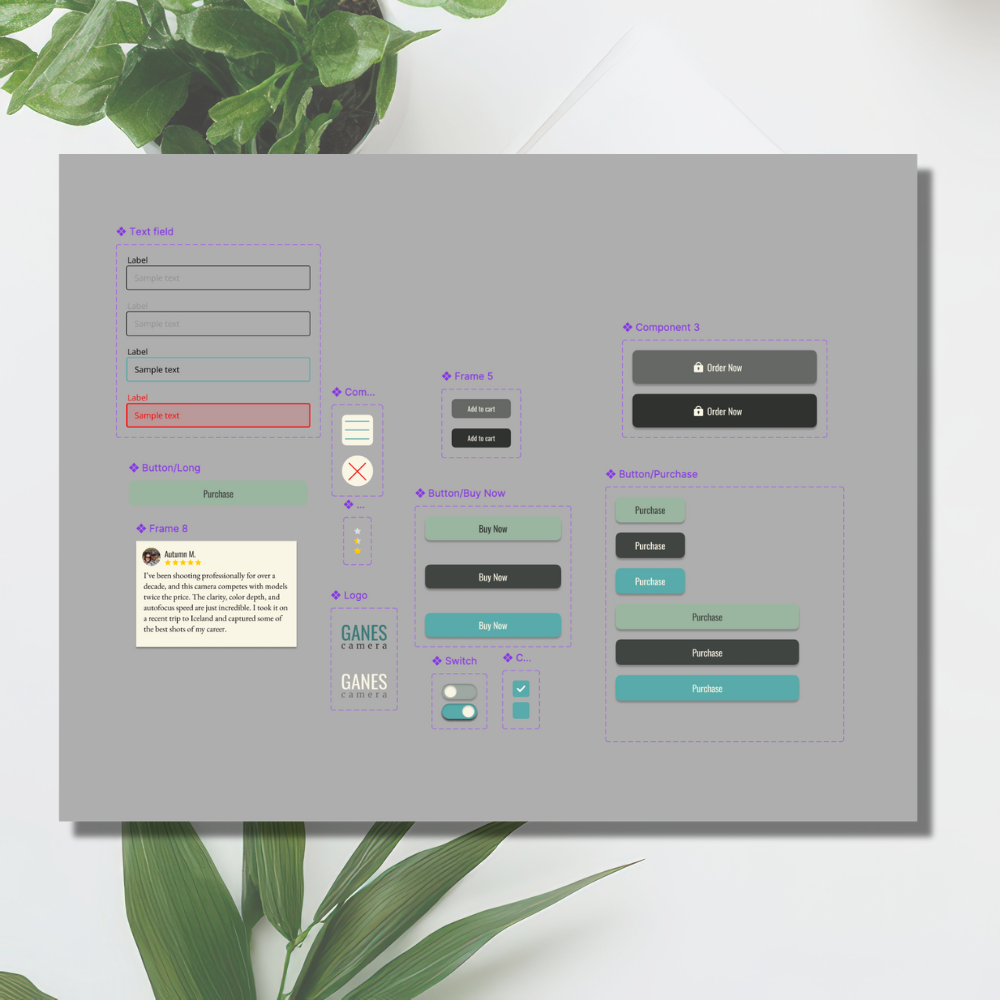
Mobile UI Prototype (Figma Course Project)

Created a mobile interface in Figma to explore layout, hierarchy, and interaction design.
This project was part of a Figma course focused on developing high-fidelity mobile layouts. My goal was to create a clean, intuitive interface that demonstrated strong visual hierarchy and a user-friendly flow. Through this project, I refined my understanding of mobile design principles, experimented with spacing and typography, and gained confidence in using Figma’s prototyping tools to bring interactive ideas to life.

Project Details:
Role: UI/UX Designer
Course: Figma UI Design
Tools: Figma
Date: Summer 2025
This course project gave me hands-on experience with Figma and helped me understand how powerful it can be for creating user interfaces. Since it was a guided project, I focused on learning the tools and features while paying attention to layout, spacing, and visual hierarchy. I learned how even small design choices can affect usability and overall feel. This experience deepened my appreciation for thoughtful design and confirmed that I enjoy the creative process of building digital experiences that are both beautiful and functional.
Reflection: